

ISO requirements
Before uploading the ISO file, make sure it meets these requirements:- Maximum image size: ~8 GB (8,192 MB)
- Only one ISO image can be uploaded at a time
ISO restrictions
If you’re installing an OS on a VM from an ISO image, the following actions won’t be available:- Root password editing
- Creating new ISO images
- Running scripts on your VM while the ISO image is loading
Install an OS from an ISO image
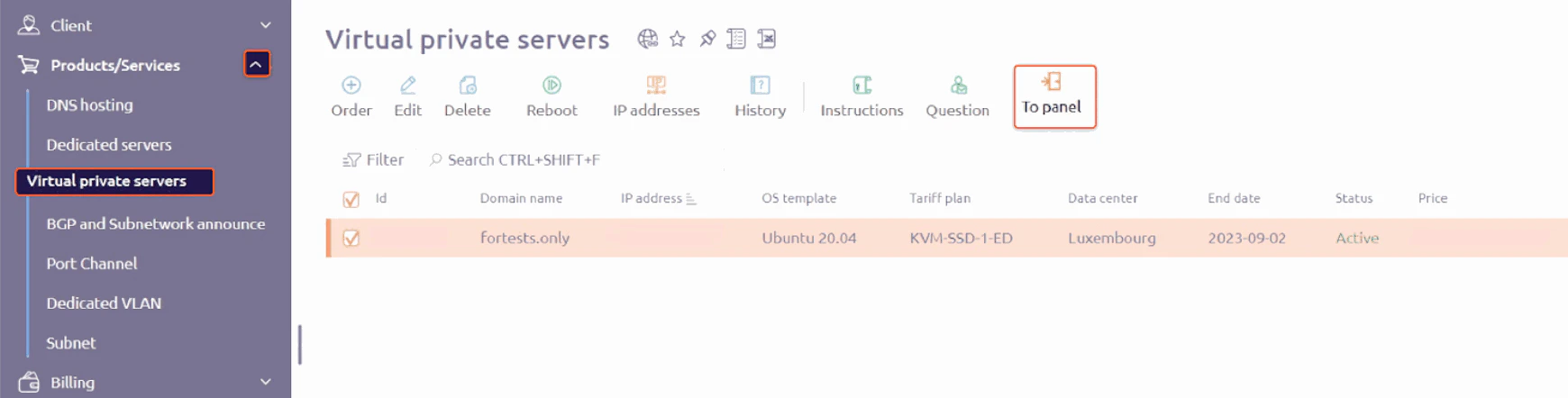
- Open the control panel. Select Products/Services, click Virtual private servers, and then click To Panel.
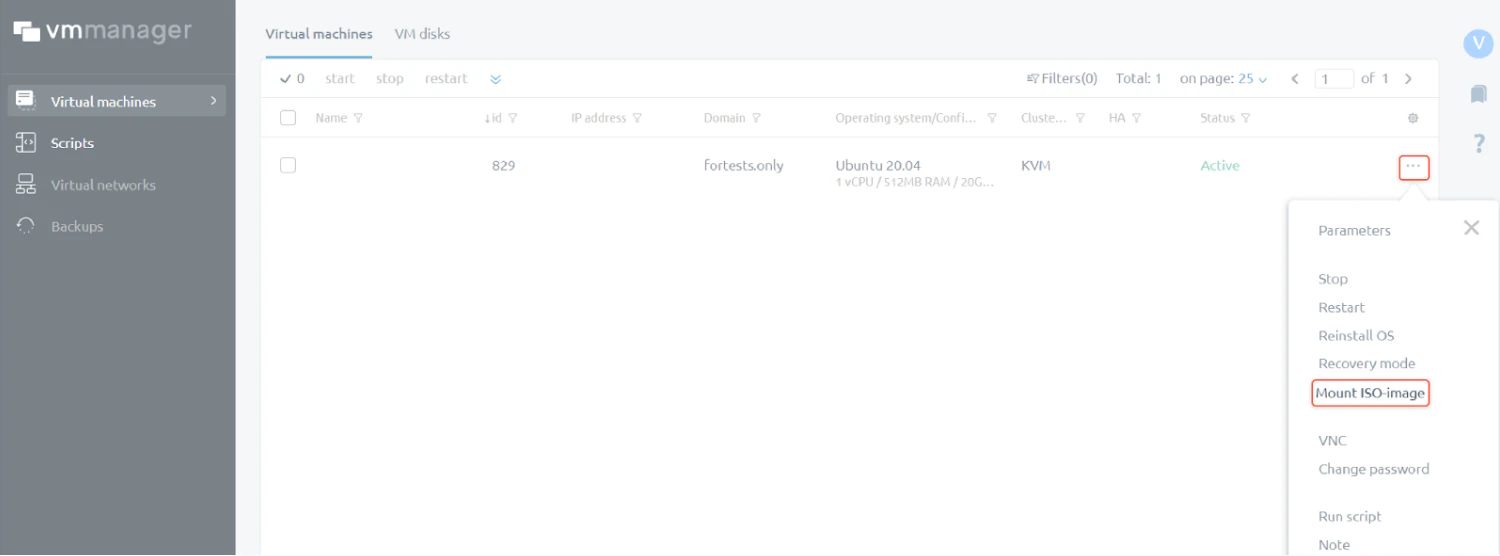
- In the VMmanager panel, open the three-dot menu and click Mount ISO image.
- Enter the URL where the ISO image is hosted. The image must be accessible via HTTP(S) or FTP. Optionally, specify OS tags if this VM needs to run scripts — a script will run on the VM if at least one of its tags matches an OS tag.
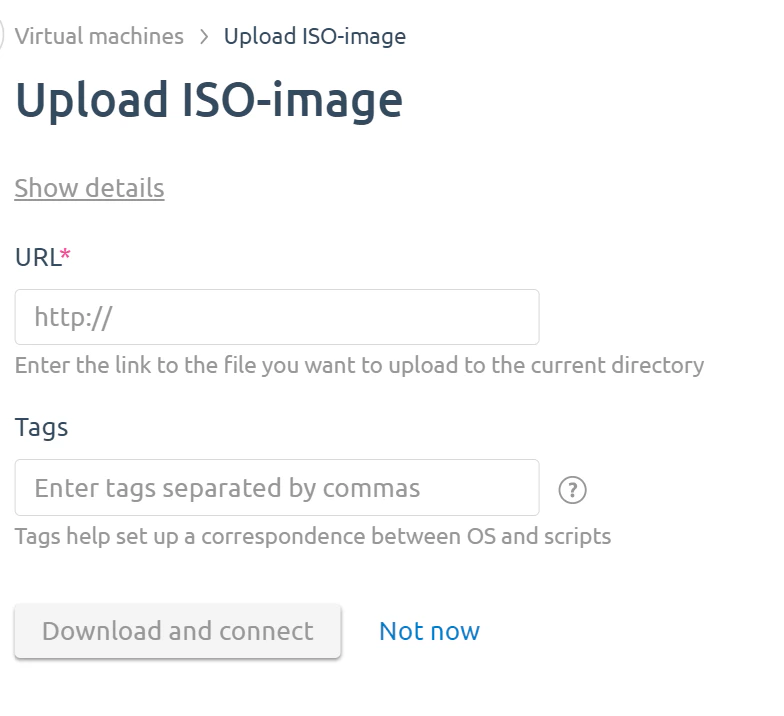
- Click Download and connect.