

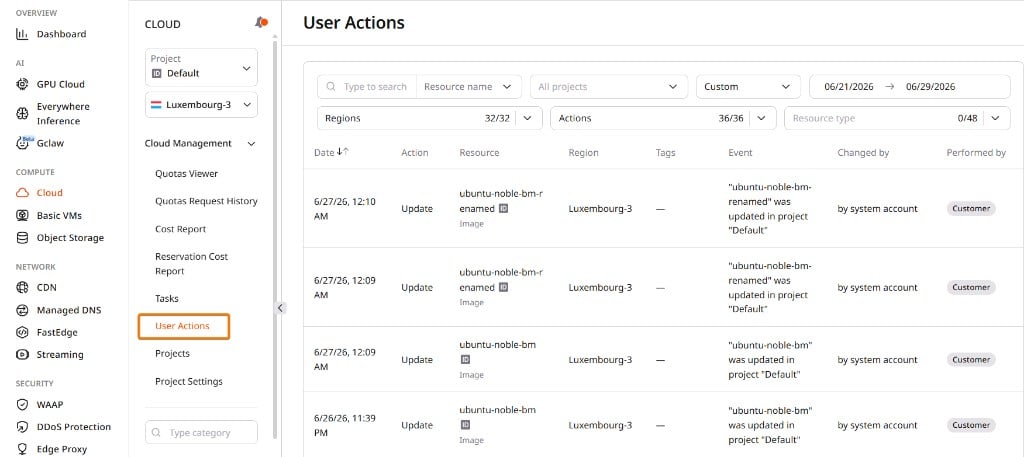
| Filter | Description |
|---|---|
| Resource name | Find actions for a specific resource — including Load Balancers searchable by VIP address |
| All projects | Limit results to a selected project |
| Date range | Choose a preset period or specify custom dates |
| Regions | Show actions from selected regions |
| Actions | Narrow results to a chosen set of operation types |
| Resource type | Show actions for a selected Cloud resource type |
